Review the whole stint.
Select a lap, find your eligible best and understand the composite ideal. Keep traffic, gaps and conditions in view.

 MOTORSPORTGet in touch
 Ready
ReadyRACING INTELLIGENCE.
The detail a driver needs. The perspective a team needs. From two laps side by side to the story of a whole race.
FROM THE MOMENT. TO THE MEANING.
One lap becomes a comparison.
The comparison becomes a conversation.
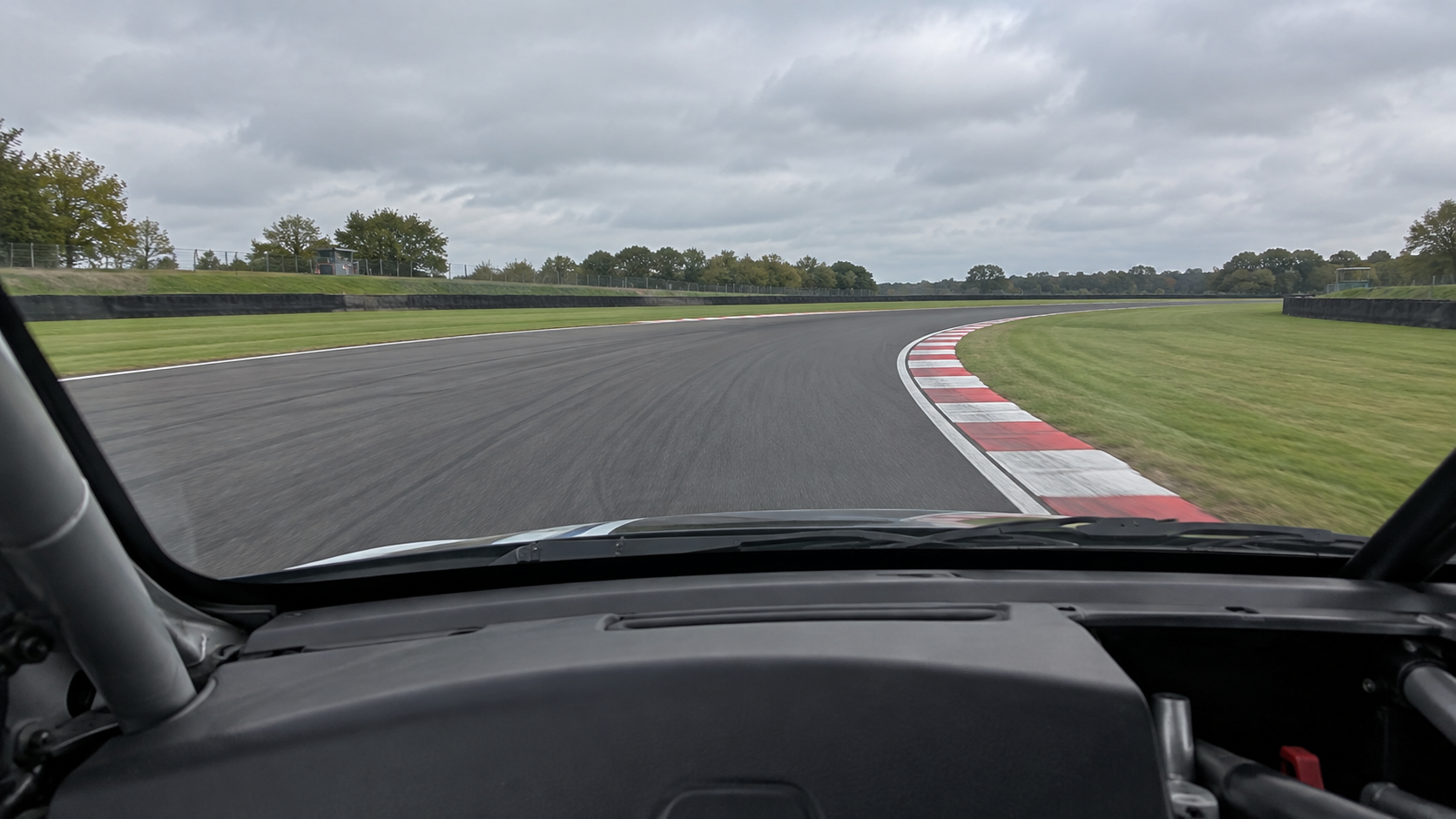 THE MOMENTTHE CONTEXT
A difference worth exploring.
Start with the footage. Follow the evidence.
01 / START WITH THE LAP
Try the lap comparison ILLUSTRATIVE COMPARISON · SAMPLE TIMINGS & STILL IMAGERYCOMPARE LAPSIllustrative previewDistance aligned · same point on track
Interactive design preview · sample timings and still imagery
Back in the garage.
Lap 13 selected. The best eligible recorded lap is highlighted.
THE PICTURE SO FAR
Two recorded stints. The remaining 90 minutes are still to race.
Planned time, elapsed time and recording coverage remain separate. Illustrative data.
LAP COMPARISON / THE DETAIL
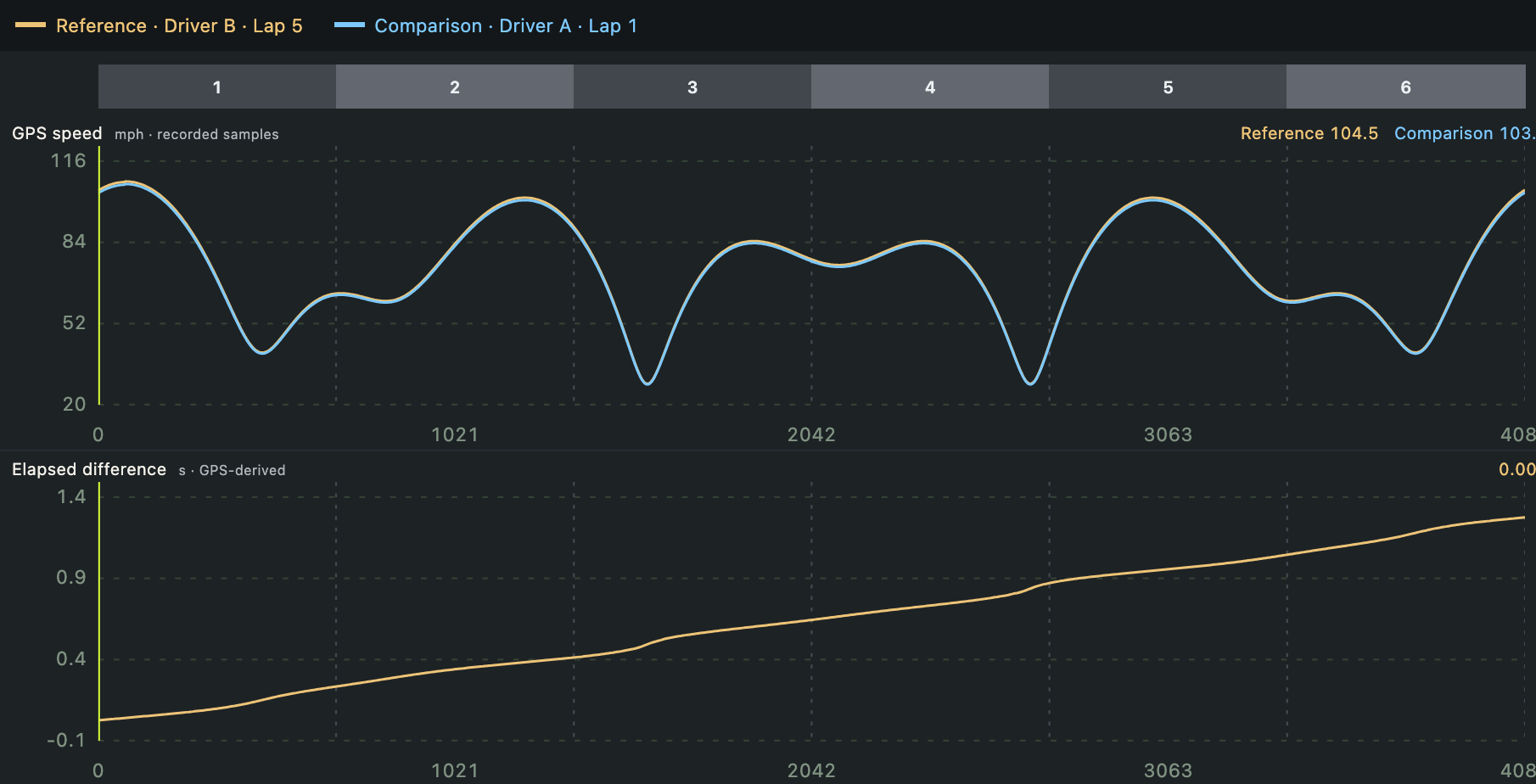
Follow two laps through the same points on track. Review recorded speed alongside the changing time difference, then take a closer look at the moments that matter.
FROM THE CURRENT raceGenie APP
STINT REVIEW / THE BIGGER PICTURE
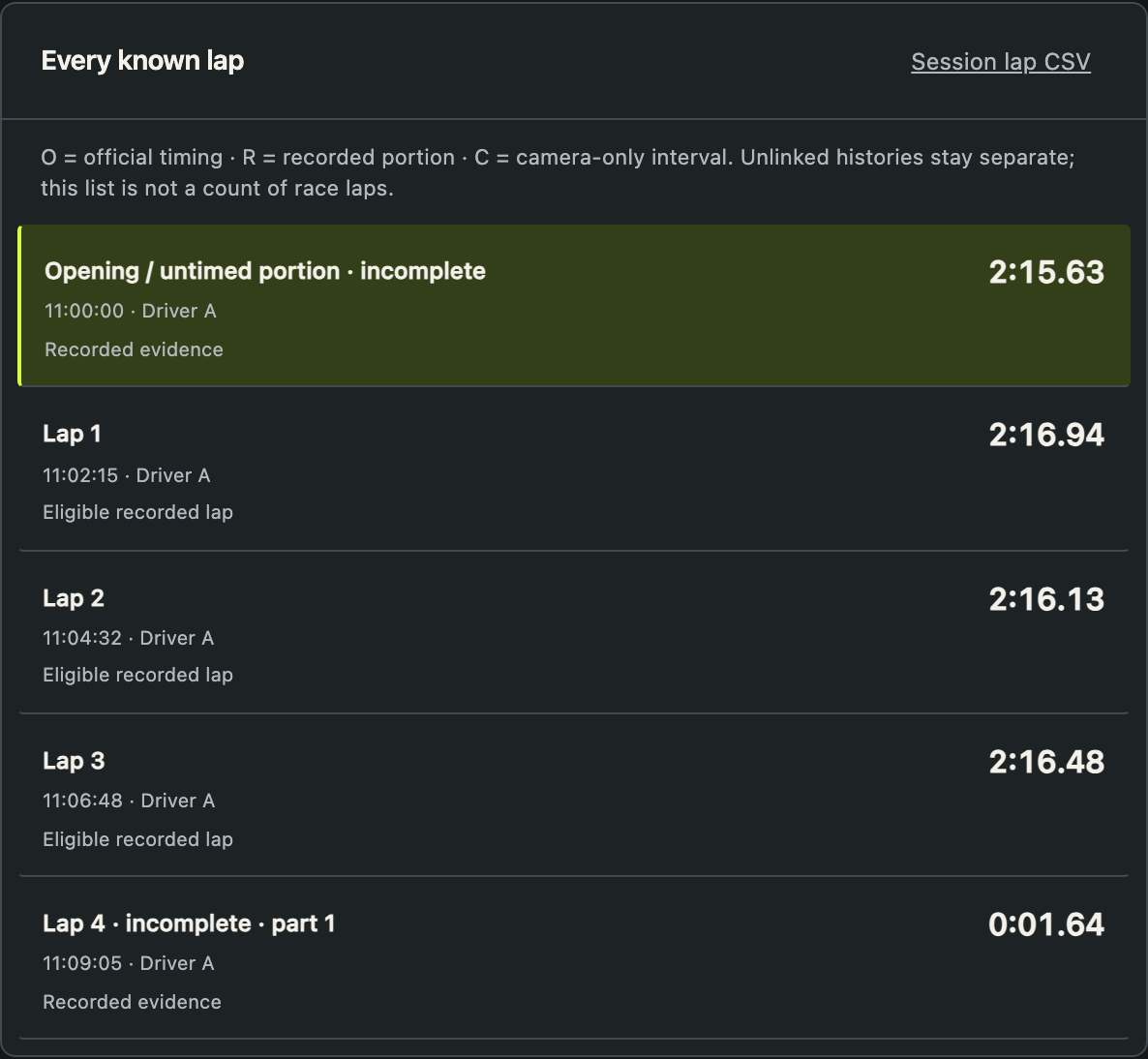
Come back to the garage with the whole stint in view. Find your best eligible recorded lap, see your median pace and lap range, and return to the laps you want to discuss.
Recorded evidence and official timing stay distinct.
FROM THE CURRENT raceGenie APP

YOUR QUESTIONS. ONE WORKSPACE.
Select a lap, find your eligible best and understand the composite ideal. Keep traffic, gaps and conditions in view.
Go directly from a stint to a side-by-side comparison. Review yourself, a teammate or a saved compatible reference.
Review drivers, stints and recorded pit events. Build a clearer picture as new evidence arrives throughout the race.
DEPTH WHEN YOU NEED IT.
Bring supported onboard and additional camera footage onto the event clock. Investigate the moment from the available views.
Save personal and team benchmarks. Distinguish a real best lap from a composite ideal, and keep the source laps close.
Turn measured differences into a focused review. Link observations to charts and footage, agree the next objective and follow it up.
Understand the two stints you have now without pretending the whole three-hour race has happened. Explore the evolving race workflow in the preview.
Import supported VBOX data and camera files. Review local footage in the paddock, including when the internet cannot keep up.
CHOOSE THE SIZE OF YOUR RACING.
The same racing intelligence, organised around the way you compete. Side-by-side lap comparison starts with Driver.
raceGenie
Your racing. Your progress.
For the individual driver.
raceGenie
One car. Everyone aligned.
For drivers and crew sharing a car.
raceGenie
More cars. One clear picture.
For teams running multiple cars.
GenieCloud comes in 2027, with an included allowance for Team and Grid and optional extra storage. Edition details and pricing will be confirmed.
NEXT / 2027
Keep your racing history with GenieCloud. Explore evidence-led AI debriefs, race questions and coaching with Genie Labs beta.
GOOD QUESTIONS.
Yes. Side-by-side lap comparison is central to Driver, Team and Grid. Choose two compatible laps and follow the differences through the footage and data.
No. raceGenie works with supported existing recordings. apexGenie is the forthcoming capture system in the Genie family, not a requirement to start reviewing laps.
Local import and review are built around offline use. GenieCloud will add connected storage and sharing in 2027; an upload is not required for local analysis.
The current local app is for Mac. It supports VBOX recordings and additional camera workflows, with compatibility depending on model and file format. Use the compatibility section to plan your setup.
The preview illustrates how a race develops as information arrives. Imported footage and timing evidence are distinct from a live timing service. Feed availability will be specified separately.
GENIE MOTORSPORT
Find the raceGenie edition for your racing.
Get in touch